
QR code menus
A unique QR code per table, generated for you. Scanning opens your live menu with photos, prices and dietary badges — no app download, no printing a new menu when a price changes.
Every table gets its own QR code. Guests scan it, browse your live menu and order from their own phone — and each order appears instantly on your kitchen screen, with tables, staff and takings all in one dashboard.
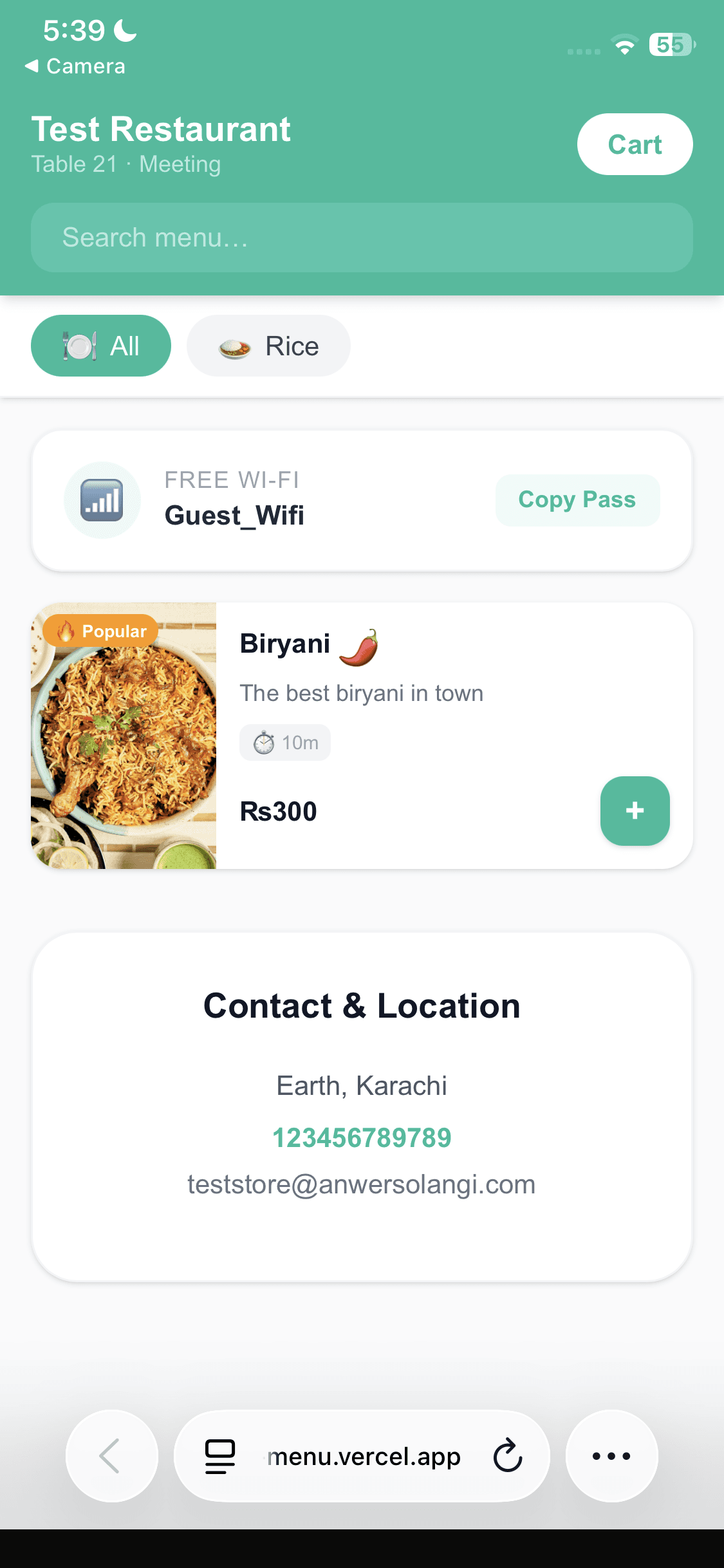
Table 12
Scan to see the menu
Table 12 · Order #48
2 × Chicken Biryani
1 × Raita
Sent to the kitchen
Nothing to install, nothing to explain to your guests. If they can take a photo, they can order.
They point their camera at the QR code on the table and your live menu opens in the browser they already have. No app, no sign-up, no waiting to be handed a menu.
They browse by category, search, see what is popular or vegetarian, add a note like “no chilli”, and send the order. It reaches your kitchen the second they tap.
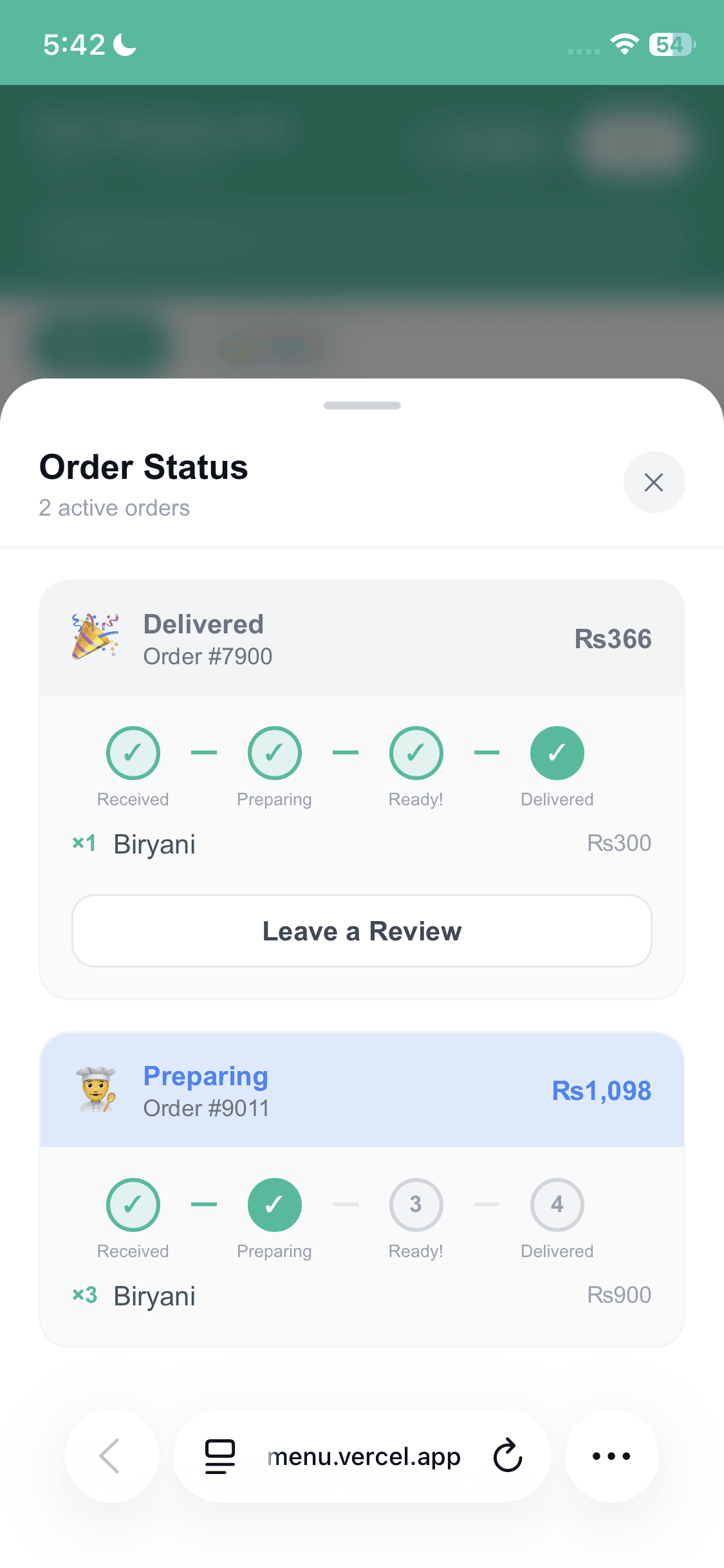
Accepted, preparing, ready — the status updates on their screen as your staff work. When they are done they request the bill, add a tip, and you settle at the table as usual.
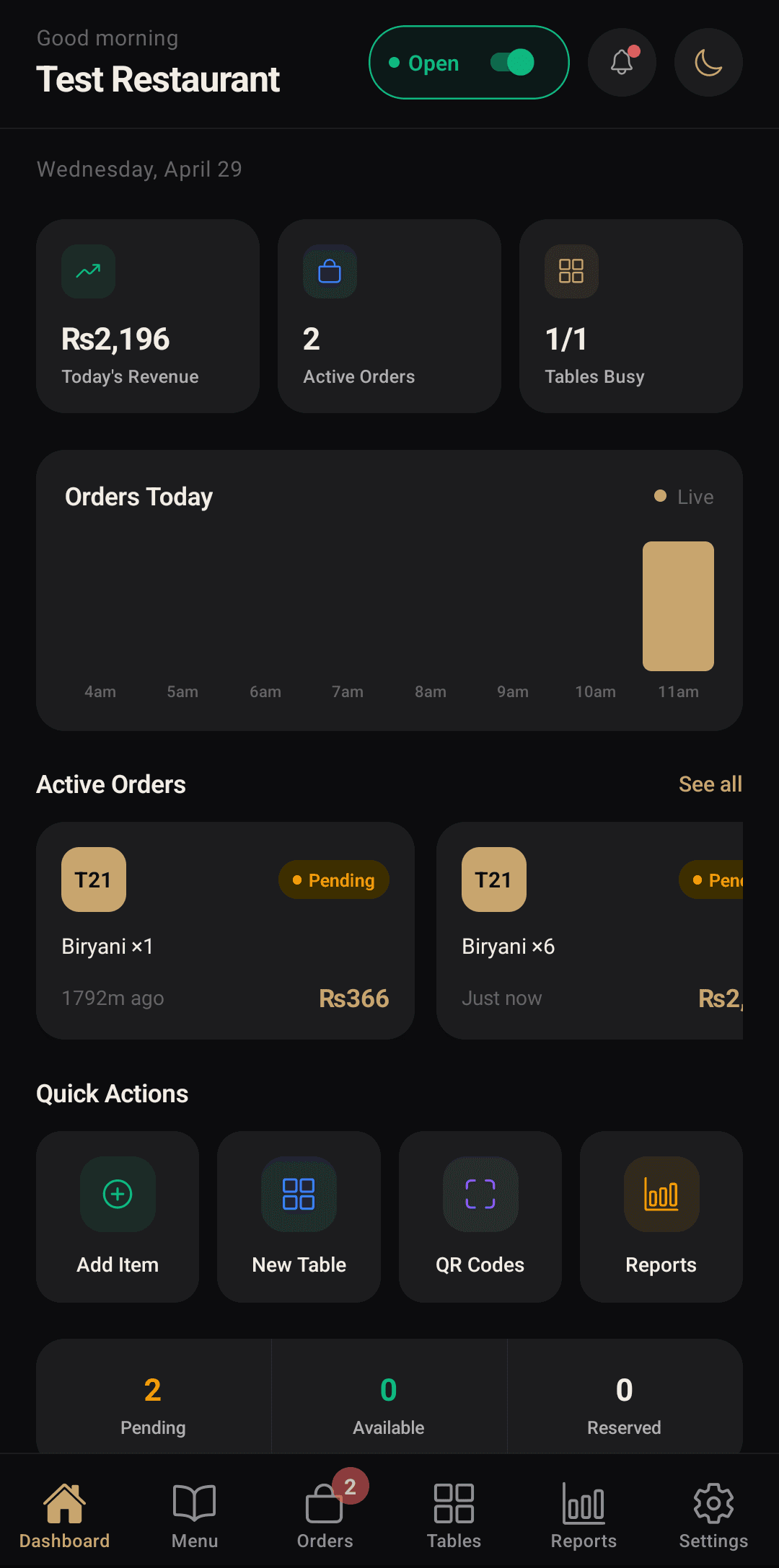
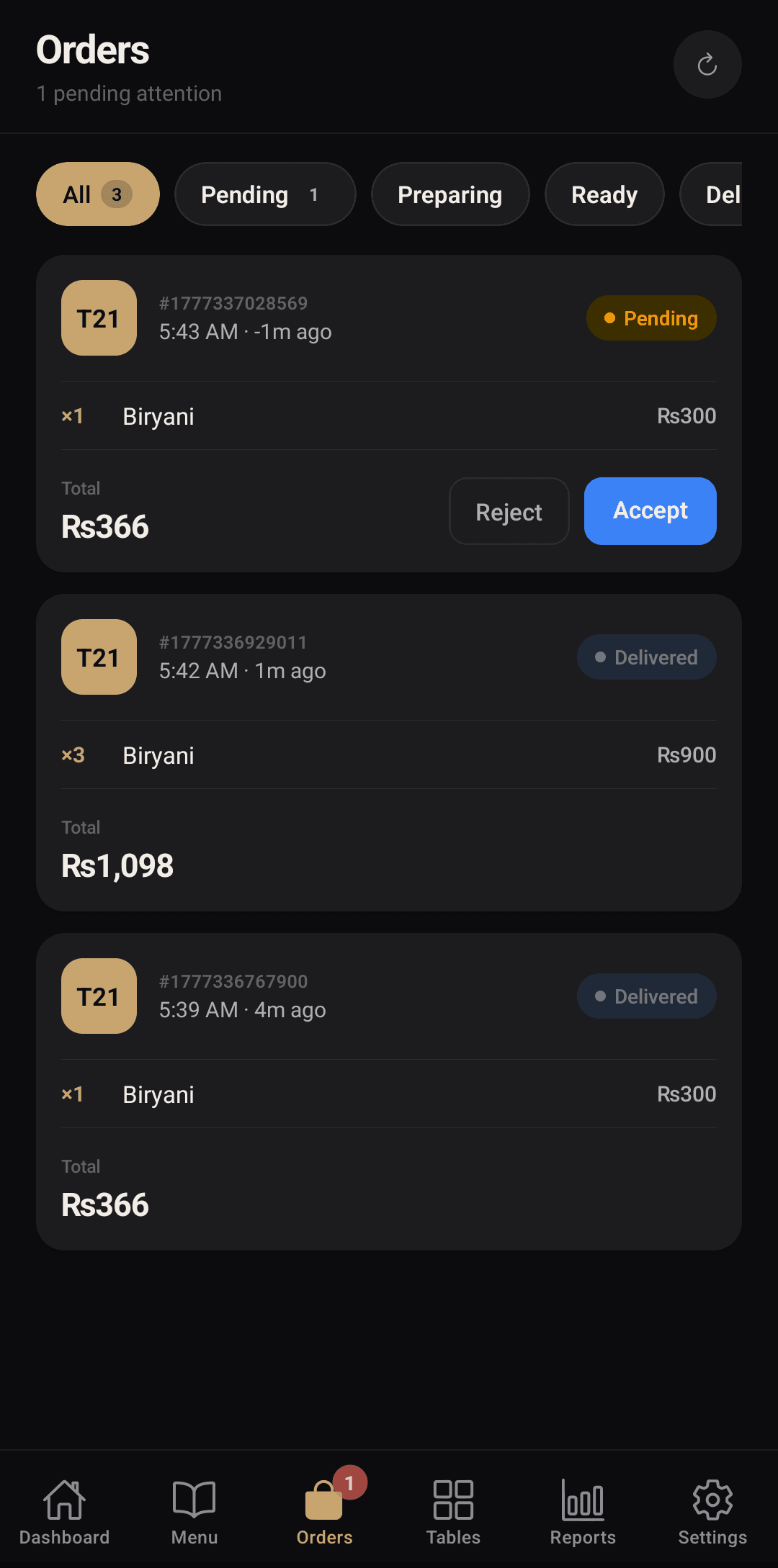
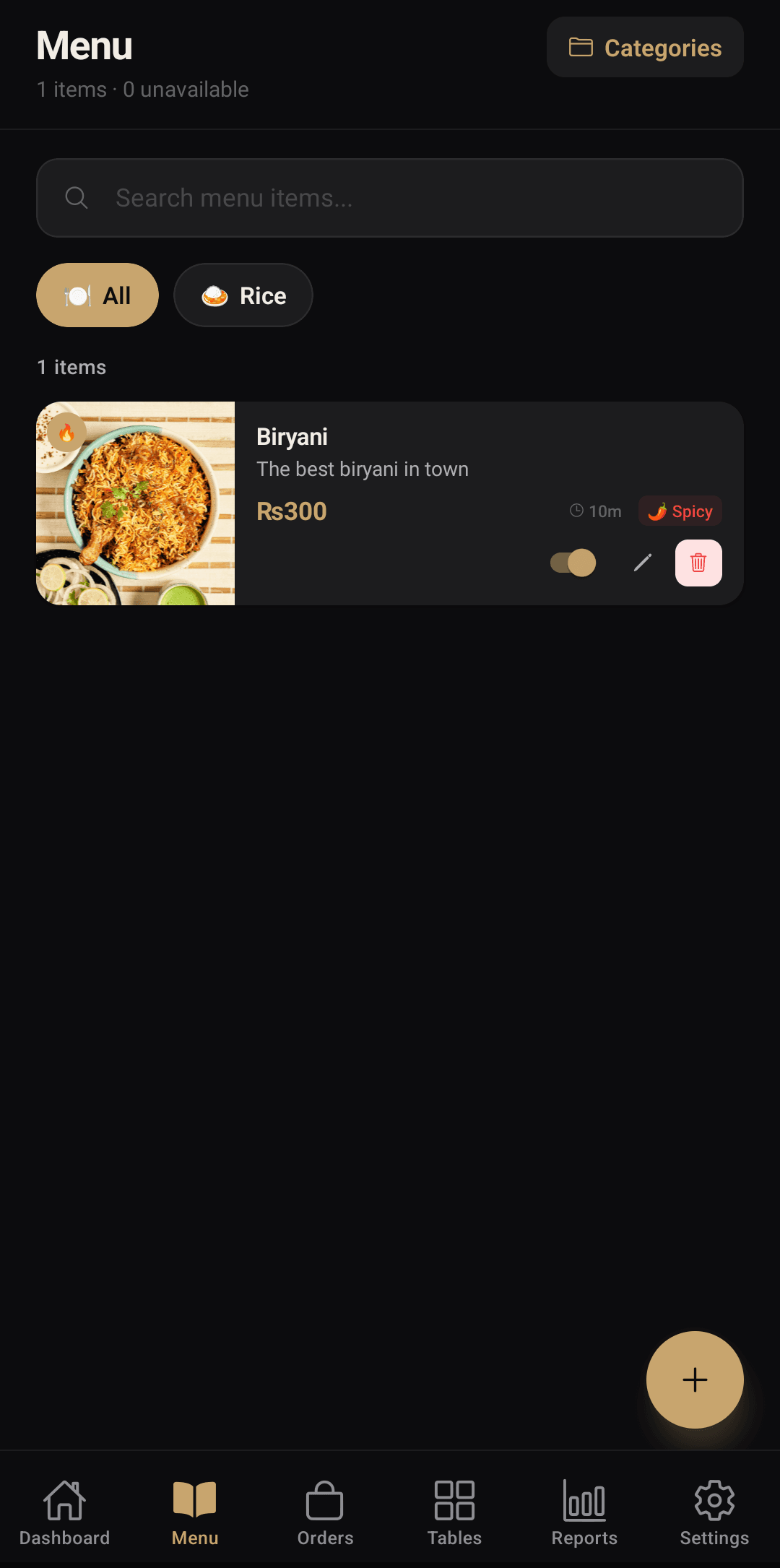
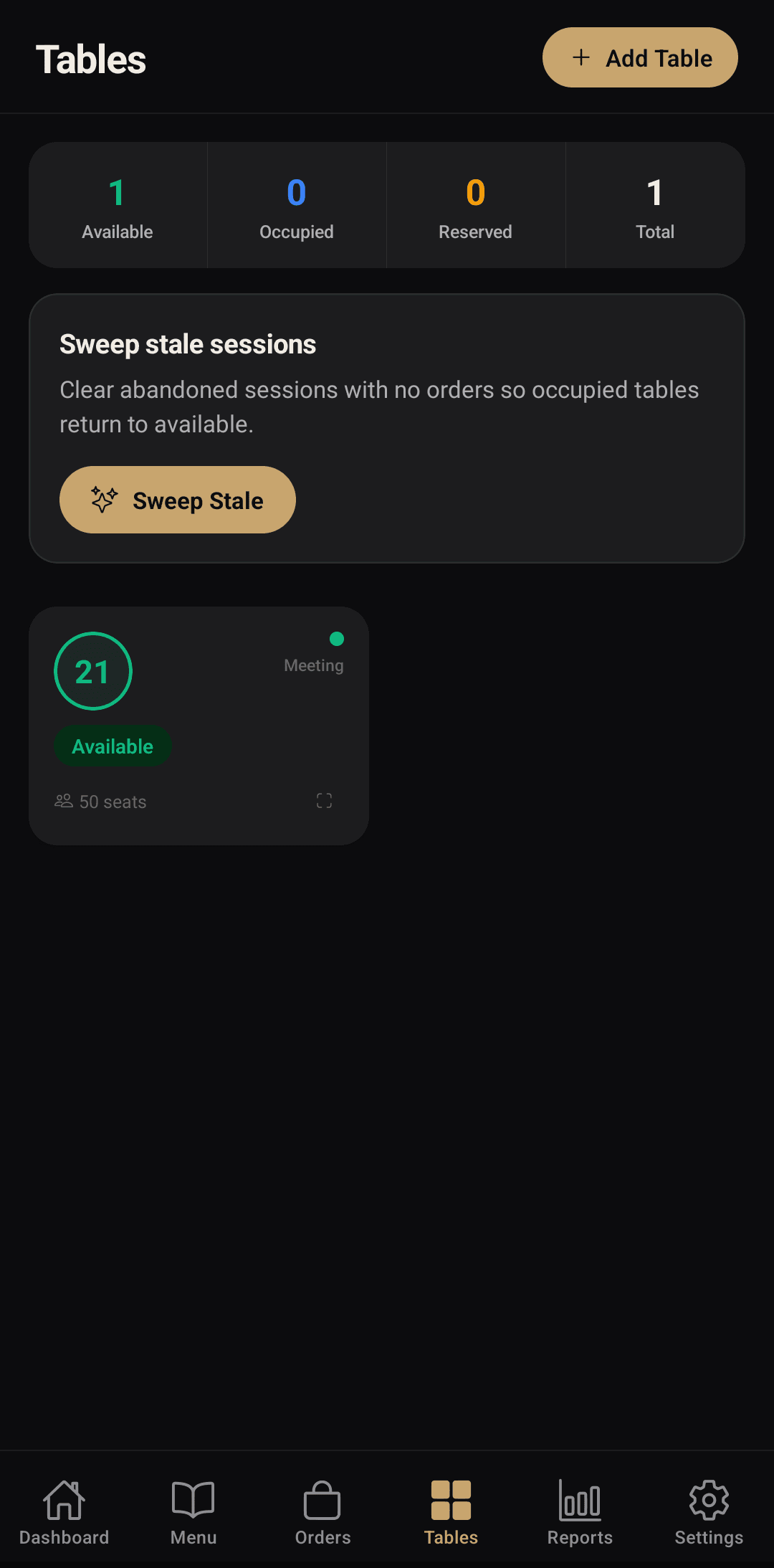
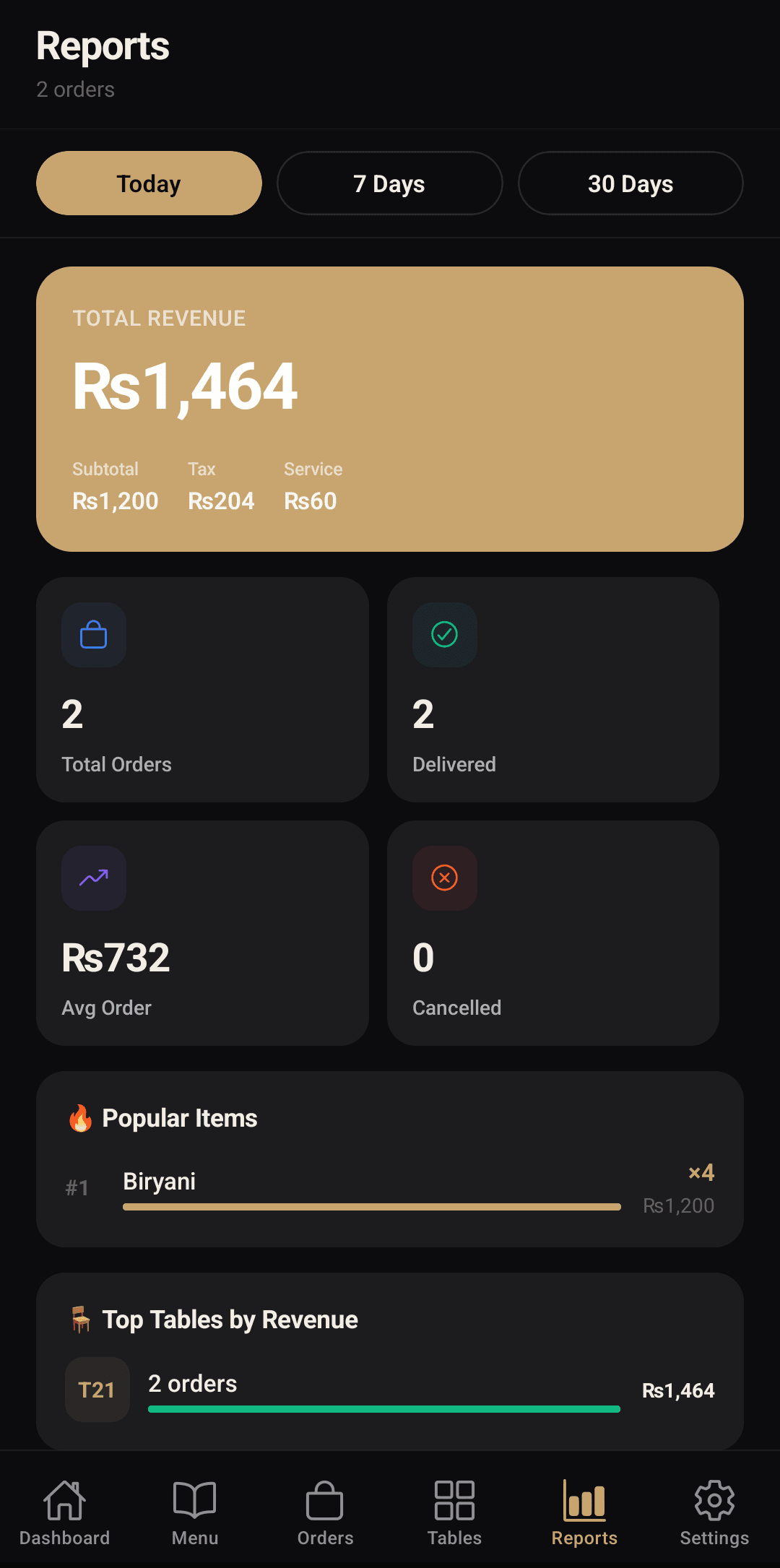
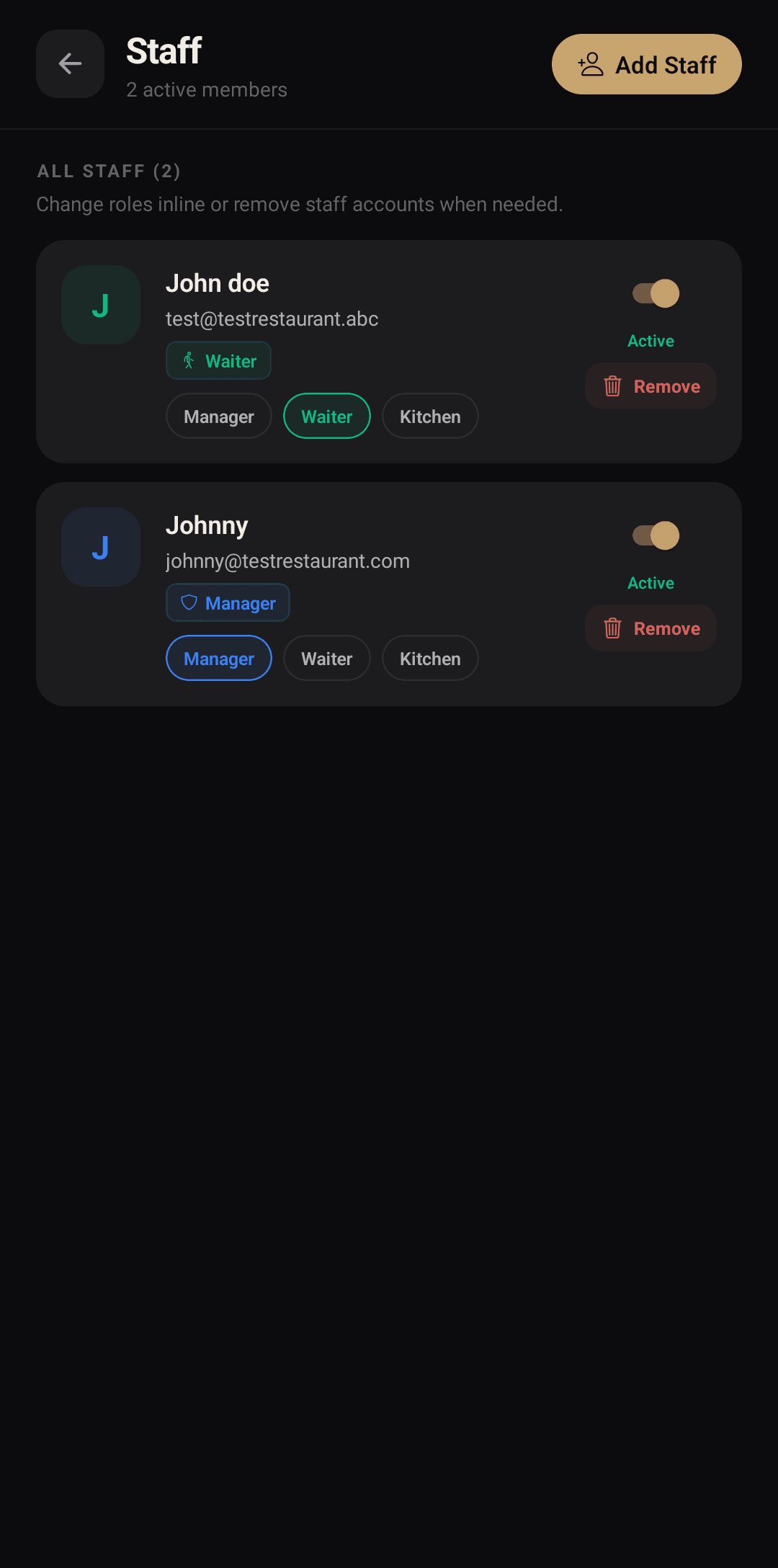
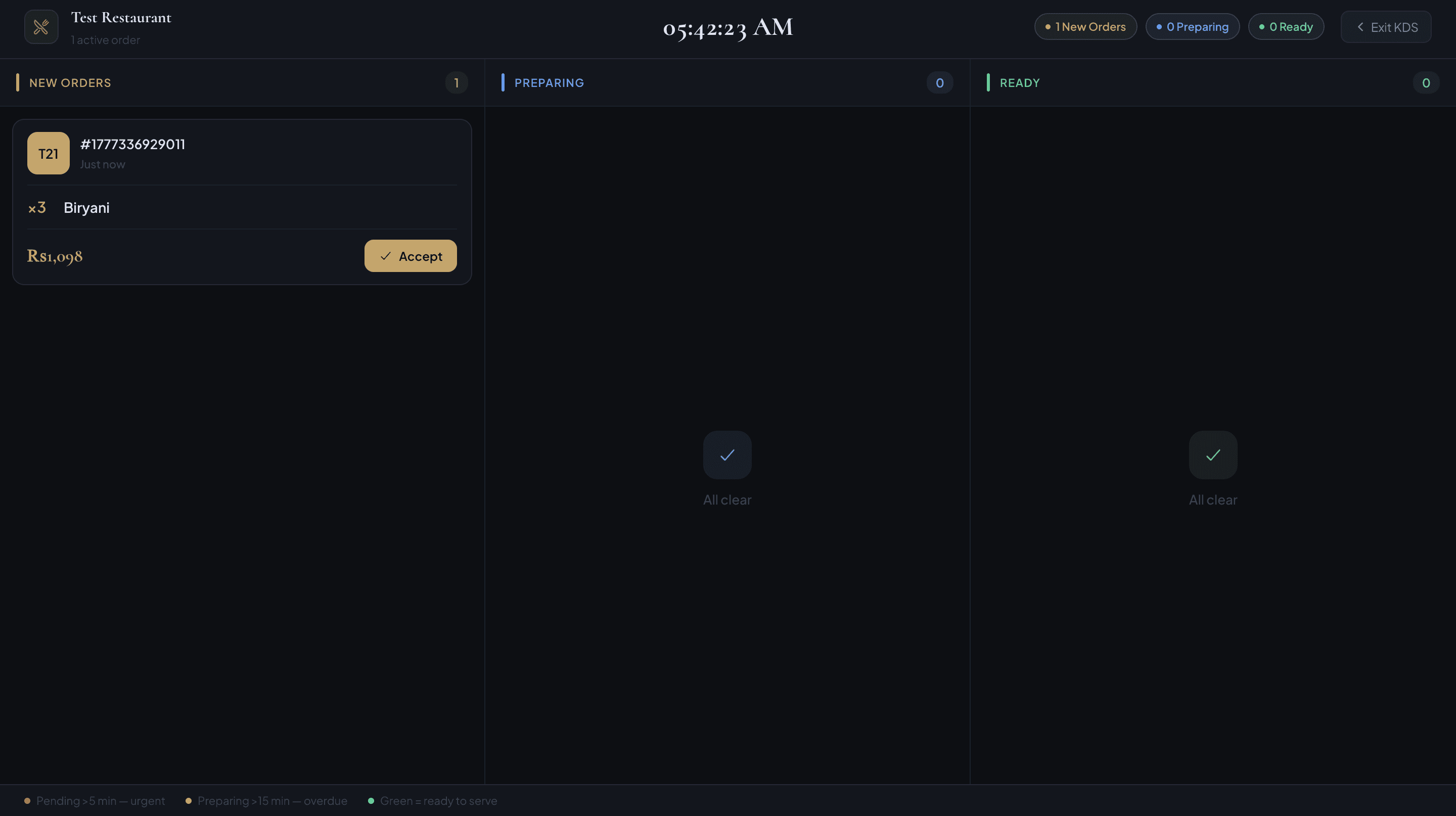
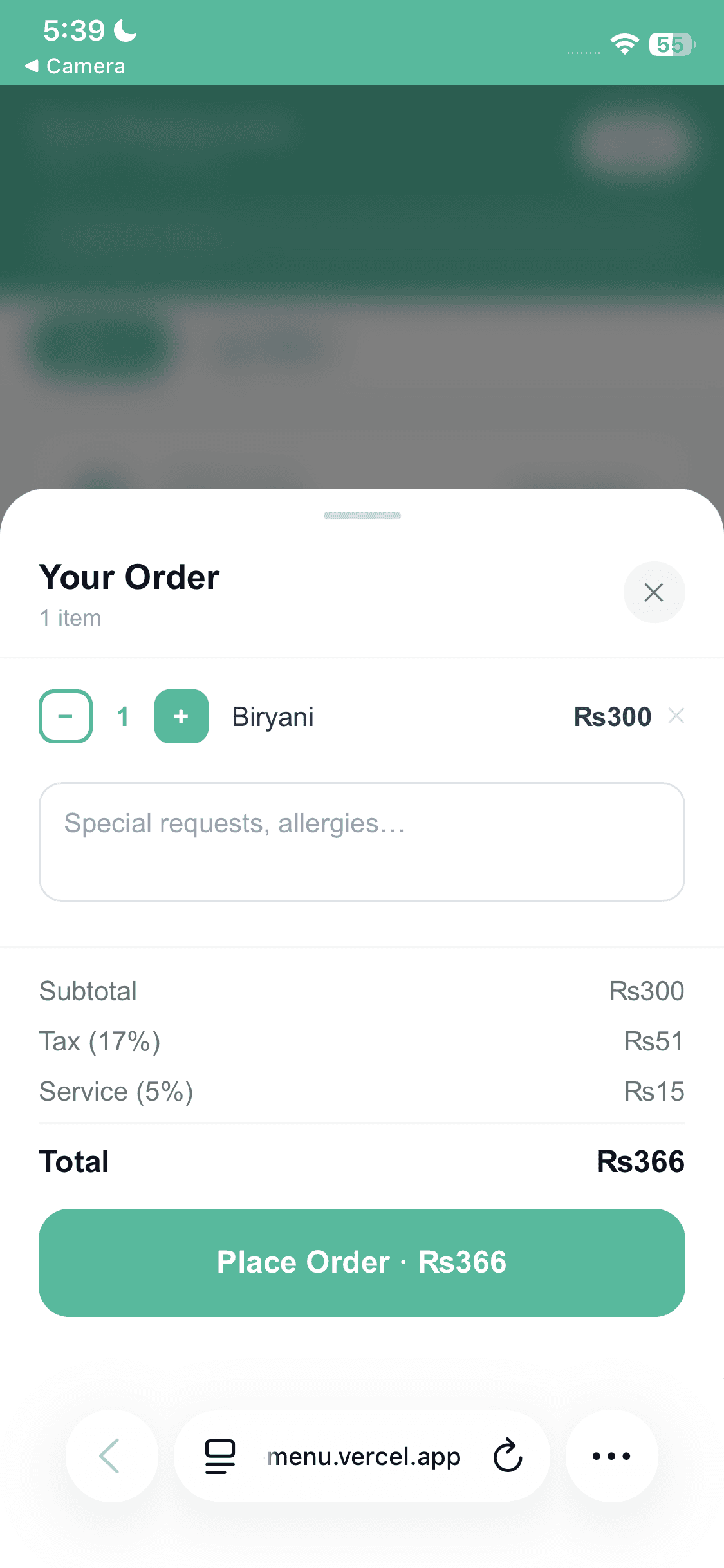
These are actual screens from TapMeal — the admin app you run the restaurant from, the kitchen display, and the menu your guests get.
Accept orders, edit the menu, generate table QR codes, add staff and check takings from your phone, wherever you are.
Swipe to see more screens →
The same data on a bigger screen. Keep the dashboard open on the counter and the kitchen display at the pass — both update in real time, with no refresh.
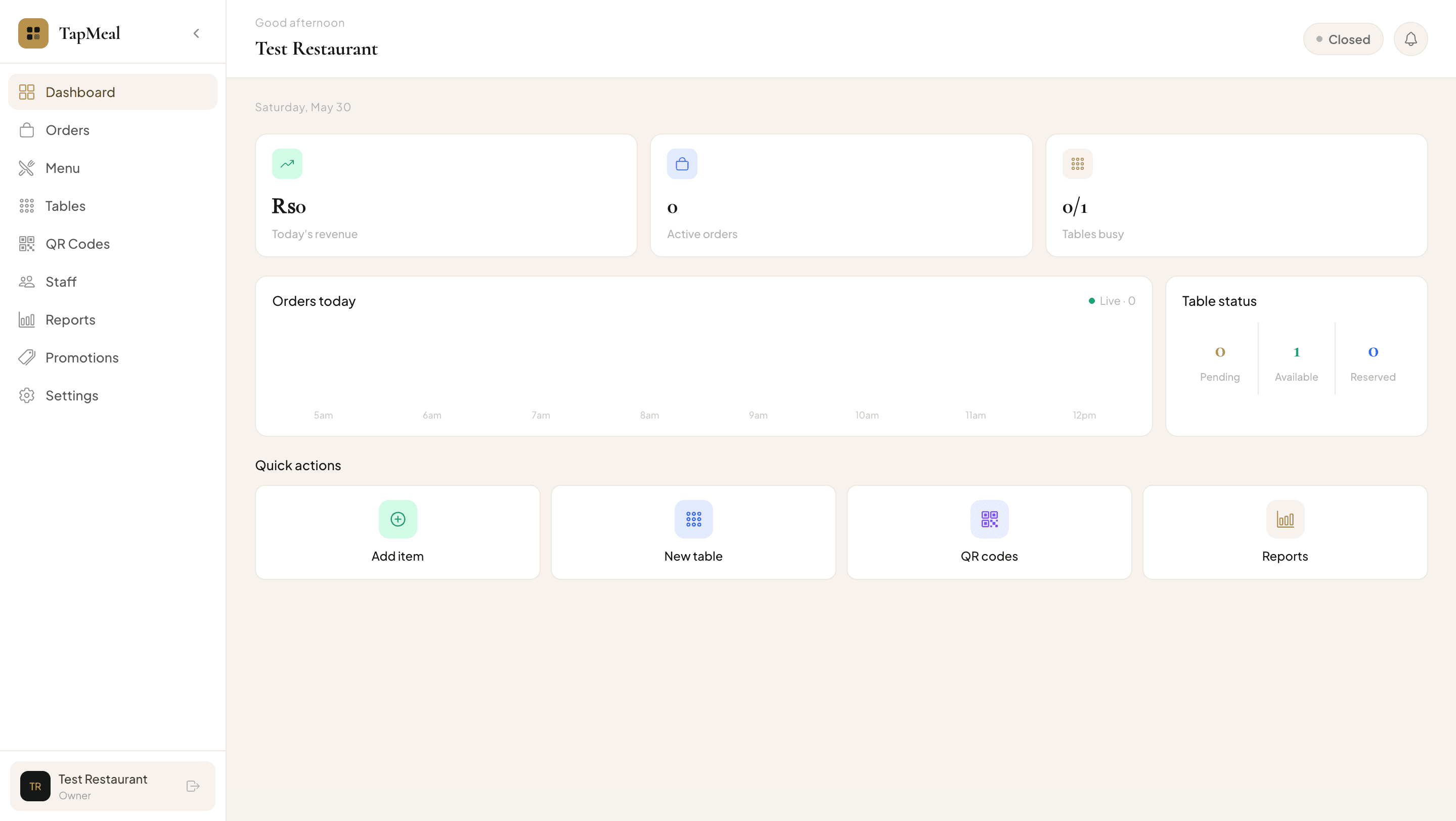
Your branding, your dishes, your currency. Guests browse, order, follow the status of every order and ask for the bill without flagging anyone down.
TapMeal covers the full dining flow — from the moment a guest sits down to the takings you check the next morning.
A unique QR code per table, generated for you. Scanning opens your live menu with photos, prices and dietary badges — no app download, no printing a new menu when a price changes.
Guests add dishes, adjust quantities and leave item notes, then send the order straight to the kitchen. Sold-out items disappear on their own so nobody orders what you don’t have.
Accepted, preparing, ready — each order is tracked on the guest’s screen. When they’re finished they request the bill and can add a tip before you settle at the table.
Open the kitchen screen on any tablet or laptop. New tickets arrive in real time; staff accept them, mark them preparing, then ready — and the guest sees each change.
See which tables are empty, occupied or reserved at a glance, with the running total for each open session and the ability to close it out when the guests leave.
Add your team with their own logins so waiters and kitchen staff use the parts of the system they need, and you can see who handled what.
Categories, dishes, photos, prices, prep times, calories, allergens and veg/vegan/gluten-free flags — all editable from your phone, live the moment you save.
Revenue, active orders, table occupancy and best-selling dishes, updating as service happens. No end-of-day export needed to know how the night is going.
Turn on counting for the items that actually run out. TapMeal decrements stock as orders come in, warns you at your low-stock threshold and hides items at zero.
You do not need a technical person, an installer or new hardware. Everything is done from the TapMeal admin app on your phone.
Sign up, add your name, contact details, opening hours, currency, tax rate and service charge. Around five minutes.
Add categories and dishes with photos, prices, prep times, calories and dietary flags. Edit anything later and it goes live immediately.
Create each table with its number and capacity. TapMeal generates a unique QR code per table — print them, or drop them into a table tent.
Put the codes on the tables and keep the kitchen display open. Orders, tables and revenue update live from the first scan.
A digital menu is only useful if it speaks your guests’ currency and matches how you actually bill. TapMeal is set up for restaurants in the Gulf and South Asia, and works just as well anywhere else.
Set AED, SAR, QAR, KWD, OMR, BHD, PKR, USD — or whatever you trade in — and choose the symbol your guests actually recognise. Menu prices, carts and bills all follow it.
Enter your tax percentage and service charge once. TapMeal applies both to every bill automatically, so the total a guest sees on their phone is the total they pay.
Dish names, descriptions and categories are free text, so you can write them in Arabic, Urdu, English — or two languages on the same line. The interface labels are English today.
The guest menu is a light web page rather than an app download, so it opens quickly on ordinary mobile data. You can also show your Wi-Fi name and password right on the menu.
Set up to serve
TapMeal runs on the web, so there is no country-by-country rollout and nothing to install. If your guests have phones and you have a browser, you can open for orders today.
If something is not covered here, write to me directly — a real person answers.
TapMeal is a QR code menu and ordering platform for restaurants and cafés. Every table gets its own QR code. Guests scan it to open your live menu in their phone browser, order from the table, and follow the status of each order. You manage the menu, tables, staff and orders from an admin app and web panel, with a kitchen display for the pass.
No. The menu opens in whatever browser is already on the phone — Safari, Chrome or the in-camera browser. There is no app to install, no account to create and nothing for your staff to hand out except the QR code on the table.
Create your restaurant in the TapMeal admin app, add categories and items with photos and prices, then add your tables. TapMeal generates a unique QR code for each table that you can print, put on a table tent or stick to the table. Most restaurants are live in well under an hour.
Yes. Prices, photos, descriptions and availability are edited from the admin app and go live immediately — the next guest to scan sees the change. You can also switch stock counting on for items that genuinely run out, so they disappear from the menu on their own.
Yes. TapMeal is currency-agnostic, so you can set AED, SAR, QAR, KWD, OMR, BHD or anything else along with the symbol your guests expect. You also set your own VAT percentage and service charge, and both are applied to every bill automatically.
Yes. Pakistani rupees are the default currency, you can set your own GST rate and service charge, and the guest menu is a lightweight web page that works on ordinary mobile data rather than needing fast Wi-Fi.
Yes. Category names, item names and descriptions are free text, so you can write them in any language or script, or list a dish in two languages on one line. The admin and guest interface labels themselves are currently in English.
No. TapMeal runs in the browser and on the admin mobile app, so any phone, tablet or laptop you already own can act as the kitchen display or the manager’s dashboard. Guests use their own phones.
Guests order and request the bill from their phone, and can add a tip while they do it. The payment itself is settled at the table the way you already take payments — cash or your existing card machine — so nothing changes about how money reaches you.
You can create your restaurant and start using TapMeal for free. Paid plans with additional capacity are handled inside the admin app, and the current terms are set out on the Terms page.
Still deciding? me@anwersolangi.com
Create your restaurant, build the menu, print the codes. Your next service can be taking orders straight from your guests’ phones.
Create your restaurant